
The Pilot Flying J app can be very helpful for our professional drivers, especially when it makes paying for fuel easier. You can also get rewards every time you fuel up. To set up your EFS card in the app, please follow these steps.
Step 1: Open the Pilot Flying J app and tap the fuel icon along the bottom. Then tap the Add a Payment Card box in the middle of the page.
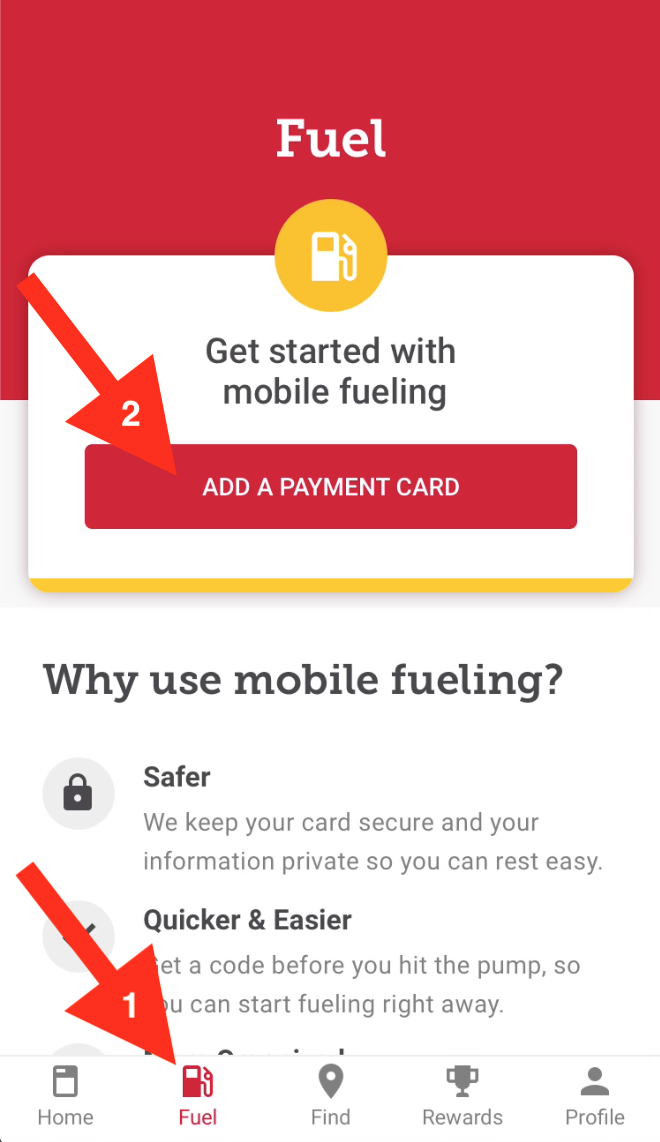
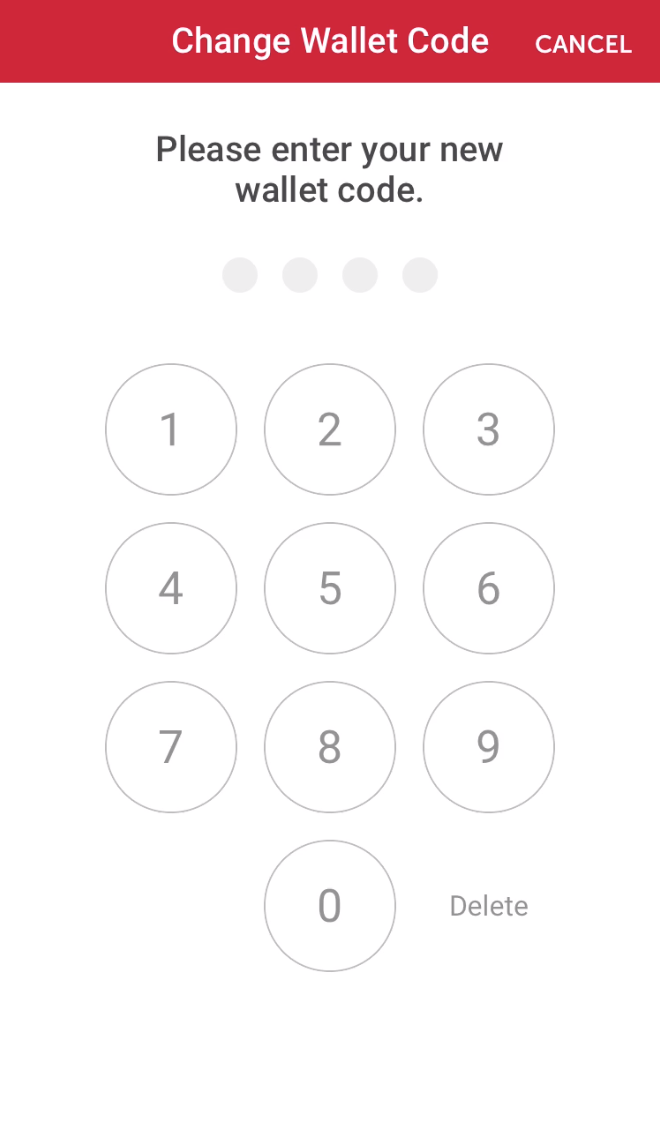
Step 2: Create a new Wallet Code to help password protect your EFS card information in the app
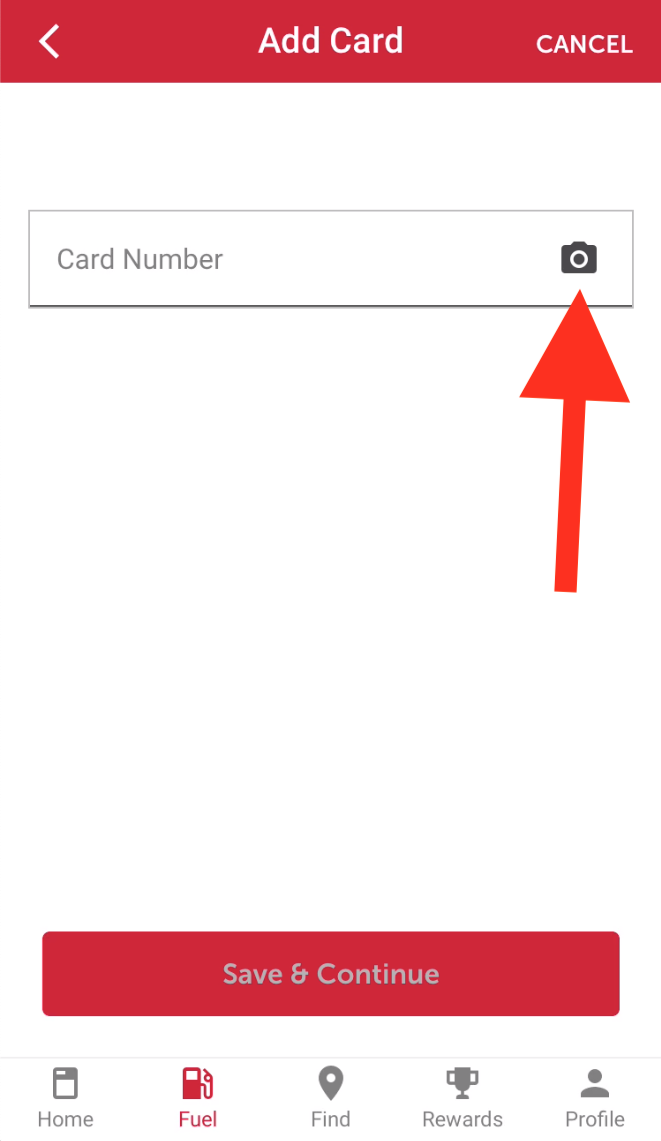
Step 3: Then add your card number to the app by taking a picture of your EFS card
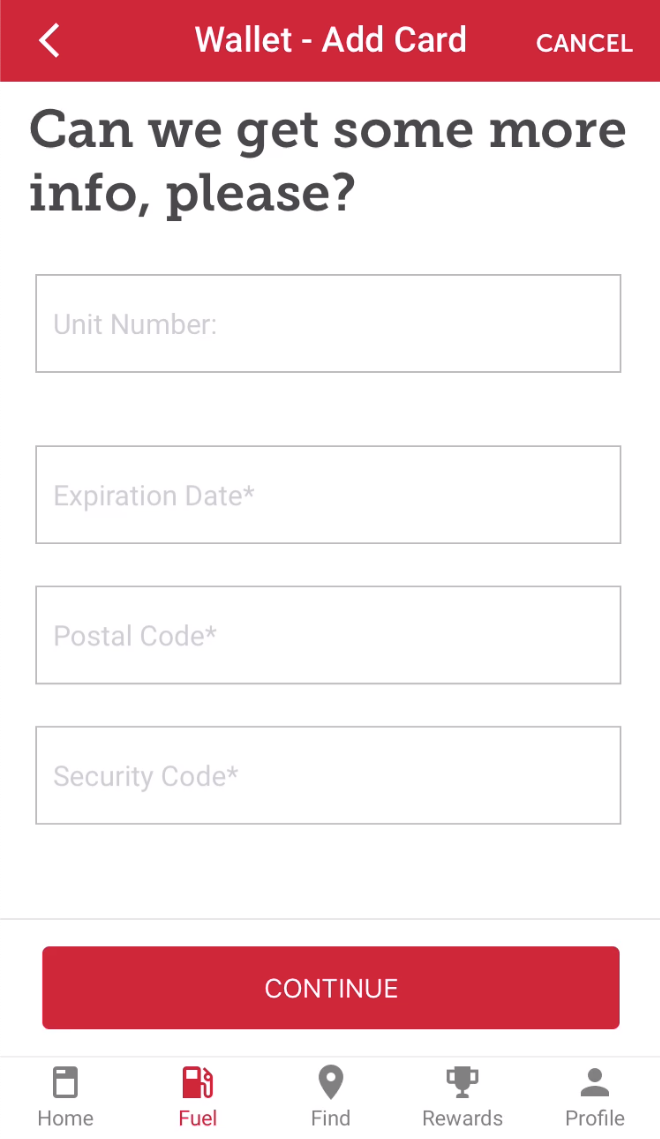
Step 4: After adding your card number, then you need to add your EFS card information and then you are done
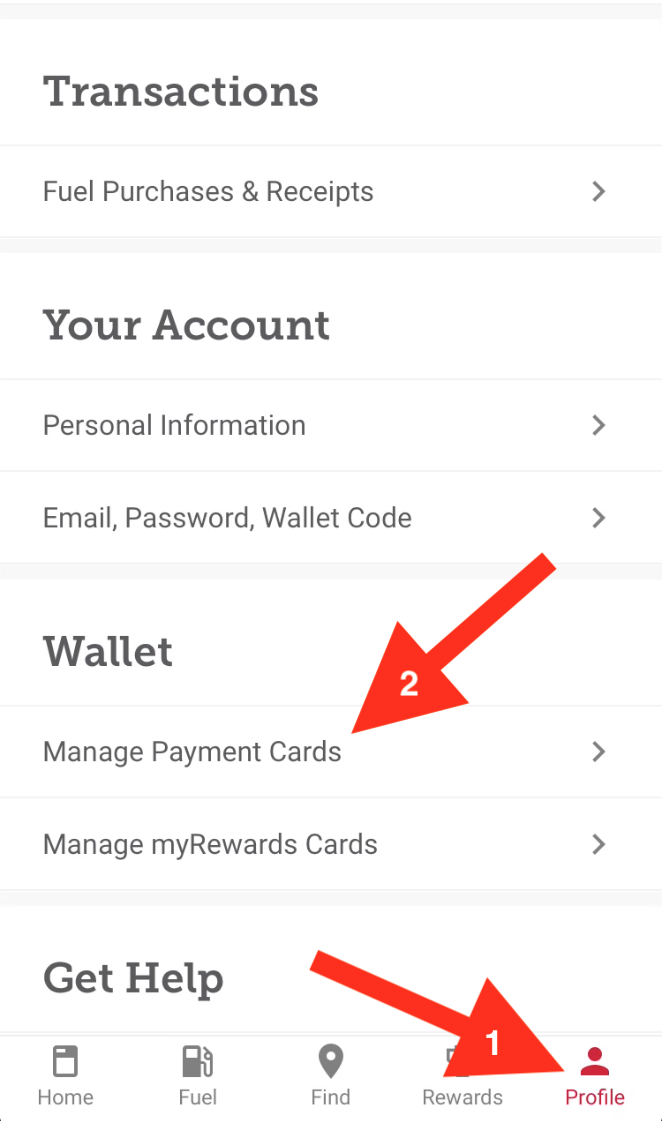
Step 5: Go to the profile tab and tap Manage Payment Cards if you ever need to update or change this information
Great
Alright
Next